
- Built by
- Spinach AI
- Website
- app.slack.com
- Category
- Collaboration
- Support
- Help Docs
Slack
Add to your agenda straight from Slack. Automatically send meeting notes to any Slack channel.
Summary
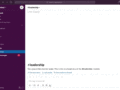
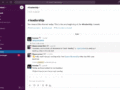
Streamline your communication and keep information flowing efficiently. With the Spinach AI bot for Slack you can add agenda items to your meetings from Slack. When the meeting finishes, automatically send notes to the Slack channel of your choosing.
How it Works
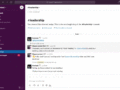
Once installed, connect any Spinach AI workspace to a Slack channel. When meetings finish, an AI-generated summary of your meeting notes is posted to the connected channel with your full notes tucked away in the thread. It's never been easier to share your notes. More importantly, it's never been easier to read them.
From any channel you can add topics to your meetings while they're top of mind. Save time (and memory) by adding any Slack message to a Spinach AI agenda. You'll spend less time trying to remember what you wanted to say, and more time discussing it with your team.
Push the same meeting notes to multiple channels to keep the right people informed. Or, put all your meetings into one channel and let anyone read them. You can keep everyone up on what happened without having to catch everyone up.
Configure
Add Slack to your Spinach AI account and connect to any channel. A list of commands can be round here.
You might also like

Bring Airtable apps right into your meeting agenda

Have your meeting agendas and Google Meet attendees, side-by-side.
Embed your work documents directly in your agenda and notes

Preview Notion pages in Spinach AI agendas

Access the power of Spinach AI collaborative agendas directly from Microsoft Teams.